


Games to Play When Bored on Your Phone: No App Needed (Tested)
We opened 26 browser games on a phone-sized screen: 20 were ready to play in 12 seconds, 5 pushed an app, and data use ran from 0.3 MB to 56 MB.
Which phone game should you open?
Two questions, ten seconds. No app needed for any of them.
Question 1 of 3
How long have you got?
Question 2 of 3
What are you on?
Question 3 of 3
What kind of game?
Your pick
2048: one thumb, two minutes
It opened straight onto the board in our test, in 2.2 MB. Swipe to slide the tiles; equal numbers merge.
Open 2048Your pick
Wordle, then Connections
The New York Times' two free daily puzzles. Each opens on a start card: tap Play and you're in, with no account. About 3 MB each in our test.
Open WordleYour pick
Lichess puzzles: 0.4 MB and no ads
A chess puzzle was on screen and ready when the page opened. It took 0.43 MB and called no ad servers, and Lichess says it doesn't sell ads.
Open Lichess puzzlesYour pick
Quick, Draw!: doodle and let a computer guess
Google's drawing game took 0.69 MB in our test and called no ad servers. You draw with a finger; it guesses what you drew.
Open Quick, Draw!Your pick
Infinite Craft: combine anything
Start with water, fire, wind and earth and drag them together. It showed an App Store banner in our test, but the browser game works without the app.
Open Infinite CraftYour pick
Snowboard Surfers: Tokyo Twist (ours)
Our own free phone game: six courses around Tokyo, an avalanche on your tail, and tricks off kickers and rails. Its page took 0.4 MB in our test. Nothing to install or buy.
Play it freeThe best games to play when you’re bored on your phone don’t need an app: open 2048 for one thumb, Wordle or Connections for a daily puzzle, and Lichess for chess puzzles. All four were ready on a phone-sized screen within 12 seconds of opening the page. For something stranger, Infinite Craft lets you combine water, fire, wind and earth into anything, and Quick, Draw! has a computer guess your doodles.
A phone browser is a better games machine than the lists of apps let on, but not every browser game suits it. On 22 November 2026 we opened 26 browser games on a phone-sized screen and looked at each one 12 seconds later. Twenty had the game or its start button ready. Six didn’t: one told us to get the app, one was buried under two ads, and one was still downloading 56 MB. Five showed a prompt to install an app.
The numbers for every game are in the table below, and how we got them is in How we tested. At a desk? See browser games to play when bored, or games to play at work for the quiet ones.
The short answer: phone games with no app
| Game | Best for | Ready at 12 seconds? | Data in 20 s | Ads in our check |
|---|---|---|---|---|
| 2048 | One thumb, two minutes | Yes | 2.2 MB | Ad code, no ad on screen |
| Wordle | One puzzle a day | Yes (tap Play) | 3.0 MB | Ad code, no ad on screen |
| Connections | Sorting words into groups | Yes (tap Play) | 3.0 MB | Ad code, no ad on screen |
| Lichess puzzles | Chess, a move at a time | Yes | 0.4 MB | None |
| Infinite Craft | Making things up | Yes | 4.2 MB | None |
| Little Alchemy 2 | Calm combining | Yes (tap Play) | 2.4 MB | None |
| Quick, Draw! | Quick doodles | Yes | 0.7 MB | None |
| Google’s Pac-Man doodle | An arcade classic | Yes | 0.3 MB | None |
| The Password Game | A puzzle that gets absurd | Yes | 0.8 MB | Ad code, no ad on screen |
| Sandspiel | Pouring sand and lava | Yes | 2.3 MB | Ad code, no ad on screen |
| Solitaired | Solitaire | Yes | 1.5 MB | None |
| Sudoku.com | Sudoku | Yes | 8.4 MB | Two ads |
| Chess.com | Chess against a bot | Yes (tap Start) | 21.4 MB | Ad code, no ad on screen |
| Tetris | The official one | Yes (tap Play) | 8.5 MB | Two banners |
| skribbl.io | Drawing with friends | Yes | 3.7 MB | A video ad |
| Gartic Phone | A party game by link | Yes | 3.8 MB | A banner |
| GeoGuessr | Guessing places | Yes (tap Play Now) | 4.4 MB | Ad code, no ad on screen |
| Sporcle | Trivia quizzes | Yes | 4.2 MB | Two ads |
| Poki | A big library in one place | Yes (tap play) | 1.8 MB | Ad code, no ad on screen |
| CrazyGames | Another big library | Yes (tap Play now) | 2.7 MB | Ad code, no ad on screen |
| GameSnacks | Google’s small games | A notice first | 2.2 MB | Ad code, no ad on screen |
| Krunker | A shooter | A privacy prompt first | 5.9 MB | Ad code, no ad on screen |
| Agar.io | Eating smaller blobs | Ads over the game | 16.3 MB | Four ads |
| Cookie Clicker | Tapping a cookie | Desktop layout, cut off | 2.7 MB | Three ads |
| Townscaper | Building a toy town | Still loading | 56.3 MB | None |
| A Dark Room | A text adventure | No: sends you to its apps | 0.3 MB | None |
| Snowboard Surfers: Tokyo Twist (ours) | Tricks, one-handed | Yes (tap Play) | 0.4 MB | Not an app, so no store label |
| Clamshell Word Guess (ours) | Word runs against a clock | Yes (tap Play) | 0.6 MB | Not an app, so no store label |
| Klondike Solitaire (ours) | Solitaire | Yes (tap Play) | 0.7 MB | Not an app, so no store label |
| Thaw Squad (ours) | 45 quick levels | Yes (tap Play) | 0.7 MB | Not an app, so no store label |
One visit each on 22 November 2026, in Chrome set up as an iPhone, from Tokyo. “Data in 20 s” is everything the page downloaded in its first 20 seconds. “Ad code, no ad on screen” means the page called ad servers but showed no ad in that time; one may appear later.
Can you play games on your phone without downloading anything?
Yes: 20 of the 26 browser games we opened were ready to play on a phone within 12 seconds, with no app and no account. A mobile browser game is a web page. You type the address or tap a link in Safari or Chrome, and the game runs in the tab.
- Nothing to install or update. There’s no store page, no download and no storage to free up.
- No sign-up on the way in. Wordle, Connections and Chess.com showed a log-in or sign-up link, each next to a button that starts the game.
- They all fit. None of the 26 pages scrolled sideways on a 390-pixel-wide screen.
- Where apps still win: playing with no signal, notifications, and games built for long sessions. Six of our 26 weren’t ready, and for one of them the app is the only way to play on a phone.
Which browser games push you to the app?
Five of the 26 showed an install prompt, and one of those doesn’t play on a phone browser at all.
| Game | What it showed |
|---|---|
| A Dark Room | “A Dark Room isn’t mobile-friendly, and it requires arrow keys. Sorry about that! There are native apps, though! Get them now!” |
| Gartic Phone | A “GET THE APP!” banner with an App Store badge, above the Start button |
| Infinite Craft | A banner, “Get Infinite Craft on the App Store!”, over a game that works fine without it |
| Connections | A bar under the start card: “Play Connections and more in the NYT Games app.” |
| CrazyGames | An “App” button in the header |
Four of the five still play in the browser. Close the banner and carry on.
How much data do phone browser games use?
From 0.3 MB to 56 MB in the first 20 seconds: a 170-fold spread. If you’re on mobile data, this matters more than anything else in the table.
- Under 1 MB: A Dark Room (0.26 MB), Google’s Pac-Man doodle (0.33 MB), Lichess (0.43 MB), Quick, Draw! (0.69 MB) and The Password Game (0.78 MB).
- Over 5 MB: Krunker (5.9 MB), Sudoku.com (8.4 MB), Tetris (8.5 MB), Agar.io (16.3 MB), Chess.com (21.4 MB) and Townscaper (56.3 MB).
- Ads are part of the weight. Sudoku.com made 286 requests to ad servers in 20 seconds and Agar.io 254. Lichess made none.
- Ads on screen: 18 of the 26 loaded ad code, and 7 put an ad on screen within 20 seconds.
The best phone browser games, by mood
We rank on three things, in order: is it ready when the page opens, does it stay out of your way (ads, app prompts, walls), and how much data does it take. Our own games have their own slot after the list.
1. 2048: the best one-thumb game
Gabriele Cirulli’s sliding-number puzzle opened straight onto the board, with a tip offering a tutorial. You swipe; equal tiles merge; you try to reach 2048.
- Made by: Gabriele Cirulli; his name is on the page’s footer.
- Data: 2.2 MB.
- Ads: the page called 50 ad servers, but no ad showed in 20 seconds.
- Worth knowing: the first thing on screen is the board, not a menu.
2. Wordle and Connections: the best daily puzzles
The New York Times’ two free dailies both open on a start card: Play, Log in or Subscribe. Tap Play and you’re in, with no account.
- Made by: The New York Times.
- Data: 3.0 MB each.
- Worth knowing: Connections’ start card says “Subscribe for unlimited play.” We compared 16 Wordle-style games, ads and all, in games like Wordle.
3. Lichess: the best with no ads at all
Lichess opened on a chess puzzle, ready for a move: “Your turn. Find the best move for black.” It took 0.43 MB and called no ad servers.
- Made by: a non-profit. Its about page says: “Most “free” websites subsist by selling ads or selling user data. Others do it by putting all the good stuff behind paywalls. Lichess does none of these things and never will.”
- Worth knowing: registering is optional, for puzzles matched to your level.
4. Infinite Craft and Little Alchemy 2: the best for zoning out
Both hand you four elements and let you drag them together. Infinite Craft, released by Neal Agarwal on 31 January 2024, makes up its results with AI; Little Alchemy 2 is Recloak’s game on the same idea.
- Data: 4.2 MB and 2.4 MB.
- Ads: neither called an ad server.
- Worth knowing: Infinite Craft shows an App Store banner. The browser game works without it.
5. Quick, Draw!: the best quick doodle
Google’s doodling game asks “Can a neural network learn to recognize doodling?”: you draw what it asks for with a finger, and it guesses what you drew.
- Made by: Google.
- Data: 0.69 MB, with no ad servers called.
6. Google’s Pac-Man doodle: the lightest of all
The page titles itself “Doodle for 30th Anniversary of PAC-MAN” and dates it “Google homepage, May 21, 2010”. It was running within the 12 seconds, in 0.33 MB.
7. Solitaired and Sudoku.com: the classics
Solitaired dealt a full Klondike board that fit the upright screen, in 1.5 MB with no ad servers called. Sudoku.com put a board and number pad up as fast, with two ads and 8.4 MB.
- Worth knowing: Solitaired showed a Google sign-in prompt at the bottom of the screen. You can close it.
8. skribbl.io and Gartic Phone: the best with friends
Both are drawing games you start by sharing a link, so nobody needs the same app or the same kind of phone. skribbl.io asked only for a name; Gartic Phone opened on its lobby.
- Ads: a video ad on skribbl.io, a banner on Gartic Phone.
9. Poki, CrazyGames and GameSnacks: the big libraries
When you’d rather browse than choose, these three are libraries of phone-ready games. Poki’s Subway Surfers page and CrazyGames’ 2048 page each showed a play button within 12 seconds. GameSnacks, which calls itself “a Google Service”, showed a notice to dismiss first.
- Data: 1.8 MB, 2.7 MB and 2.2 MB before you start a game.
Made by us
Best with nothing to install or buy: Snowboard Surfers: Tokyo Twist (ours)
Our games are made for an upright phone and on-screen buttons, and each page we opened took under 1 MB of data.
- TICKLE1P

Snowboard Surfers: Tokyo Twist
Six courses around Tokyo, an avalanche on your tail, and spins, grabs and rail grinds.
▶ Play free - TICKLE1P

Guess the word hidden in each clam before your air runs out. Spare tries carry on to the next clam.
▶ Play free - TICKLE1P

- TICKLE1P
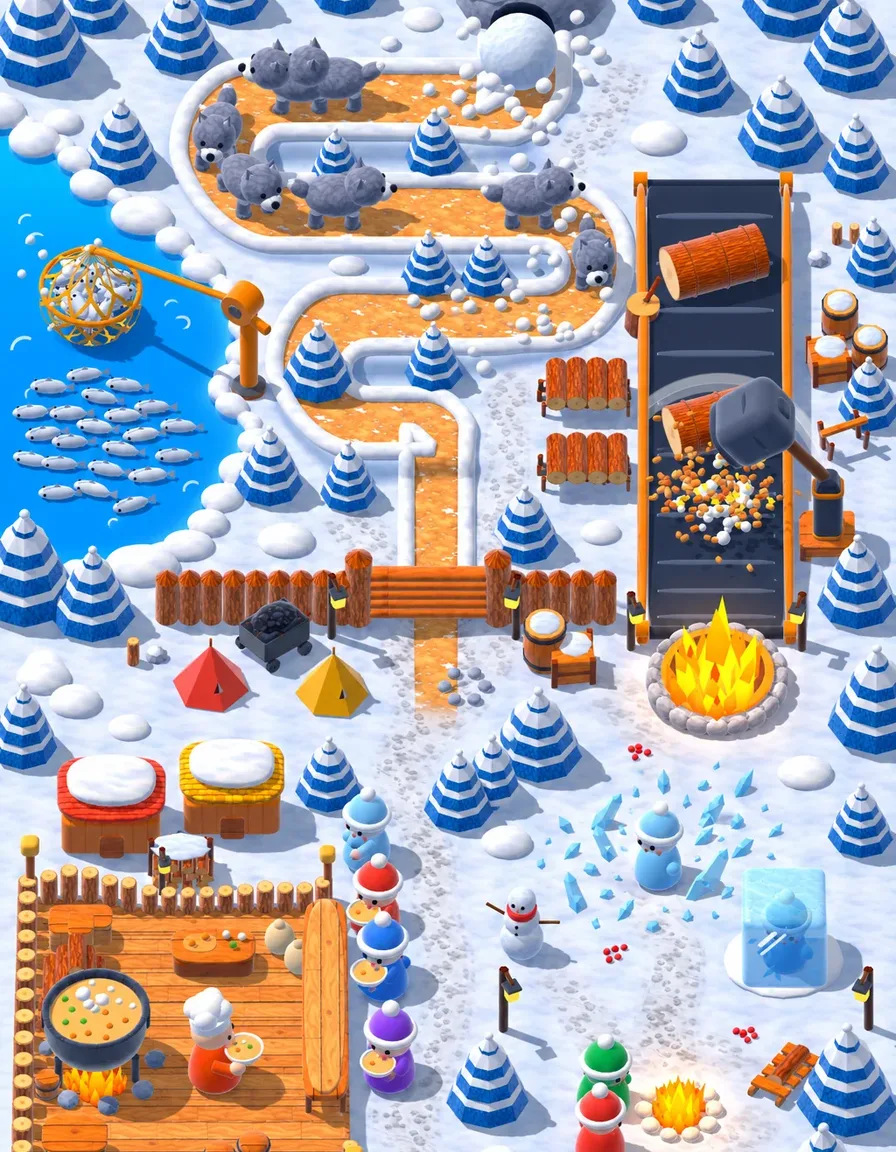
Save a frozen valley in 45 quick levels: haul fish, smash logs, run the gates, plough snow, defend the camp.
▶ Play free



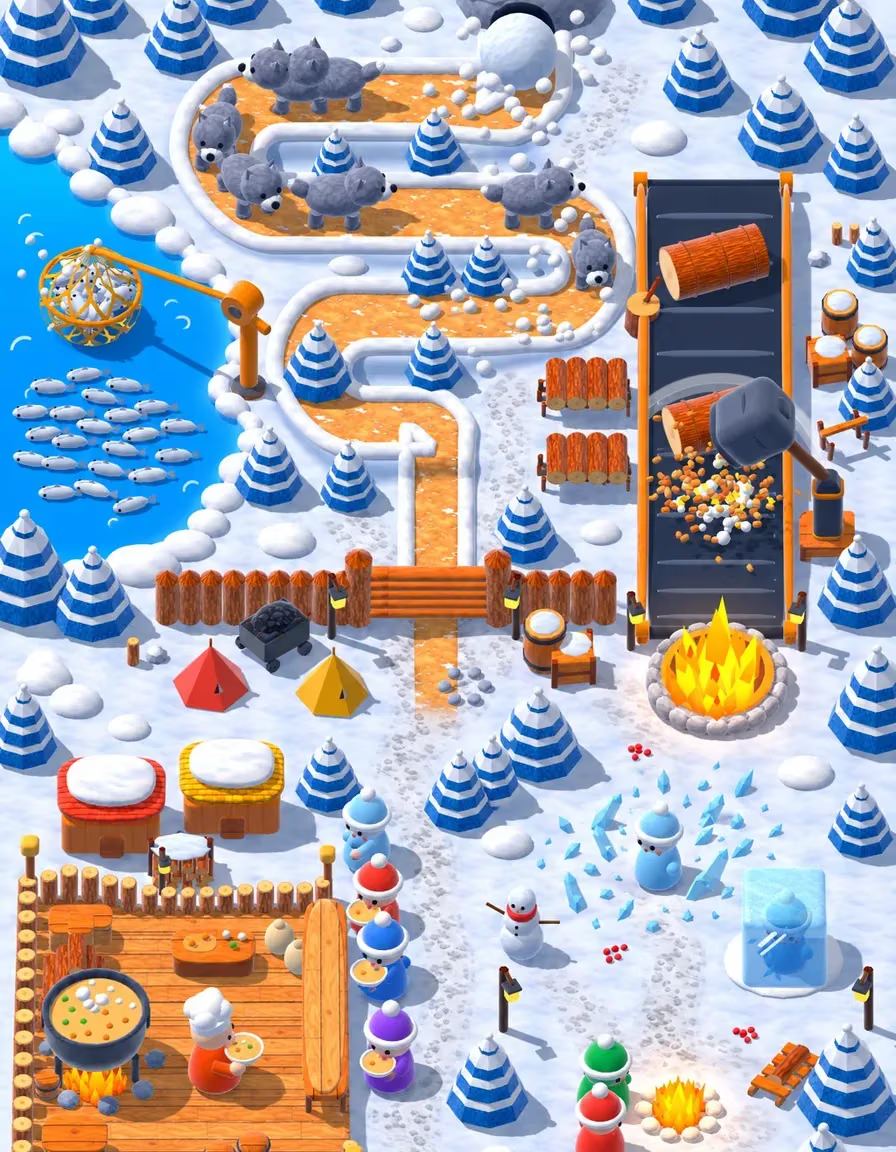
- What you get: free games that start from one PLAY button in the browser, with no download, no account and nothing to buy.
- Where the others beat them: none of these four is a daily puzzle everyone’s talking about, none is multiplayer, and none has Lichess’s depth. They’re for a few minutes, not for a hobby.
What about when there’s no signal?
Chrome has a game built in for that: the Dino runner. Type chrome://dino into Chrome’s address bar, or lose your connection and it turns up on the “no internet” page. Google’s own interview with its makers, from September 2018, puts it at “270 million games played every month, both on laptop and mobile”.
How to put a browser game on your home screen
On an iPhone, Apple’s guide gives the steps: open the site in Safari, tap Share, then “Add to Home Screen”. With “Open as Web App” on, in Apple’s words, “the website opens just like an app”. It’s the same page, with an icon.
What we’d do
- Two minutes, one hand: 2048.
- A daily habit: Wordle, then Connections.
- On mobile data: Lichess, Quick, Draw! or the Pac-Man doodle, all under 1 MB.
- With a friend across the room: skribbl.io, by link.
- Skip on a phone: A Dark Room in the browser (its page says so), and Townscaper unless you’re on Wi-Fi.
How we tested
- The set-up: on 22 November 2026 we opened each page once in Chrome, sized and set up like an iPhone (390 by 844 pixels, touch, an iPhone’s browser name), with an empty browser each time: no cookies, no saved log-ins.
- What we recorded: every request and its size for the first 20 seconds, requests to 120 ad-tech domains, ad frames on screen, whether the page scrolled sideways, and a screenshot at 12 seconds, which we read by eye for the “ready” column and the app prompts.
- Limits: one visit per game, from Tokyo, so the ads and consent prompts were the ones served there; a US visit can differ. Twenty seconds only: ads that come after a game ends aren’t counted. We didn’t play each game through, and Chrome dressed as an iPhone isn’t Safari. Slither.io wouldn’t load in our test browser, so it isn’t in the table. Our own pages were opened with the pass our scripts use for our site’s bot rules.
FAQ
What games can I play on my phone when I’m bored?
Without installing anything: 2048 for a quick one-thumb puzzle, Wordle or Connections for a daily one, Lichess for chess puzzles, Infinite Craft for combining things, and Quick, Draw! for doodling. All of them opened ready to play in a phone browser in our test on 22 November 2026.
What are mobile browser games?
Games that run as a web page in your phone’s browser, such as Safari or Chrome, with no app to install. You open the address and play in the tab. In our test of 26, 20 were ready to play within 12 seconds.
Can I play games on Safari on an iPhone?
Yes. Browser games like 2048, Wordle, Lichess and Infinite Craft run in Safari. You can also add one to your home screen: tap Share, then “Add to Home Screen”, and it opens like an app.
Which phone browser games have no ads?
In our check, eight of 26 pages called no ad servers at all: Lichess, Infinite Craft, Little Alchemy 2, Quick, Draw!, Google’s Pac-Man doodle, Solitaired, Townscaper and A Dark Room. Lichess says in writing that it doesn’t sell ads and never will.
Do browser games use a lot of mobile data?
It varies 170-fold. In their first 20 seconds, Google’s Pac-Man doodle took 0.33 MB and Lichess 0.43 MB, while Chess.com took 21.4 MB and Townscaper 56.3 MB.
What can I play on my phone with no internet?
Chrome’s Dino game: type chrome://dino in Chrome’s address bar, or find it on Chrome’s “no internet” page. Browser games otherwise need a connection to load.
Is there a game I can play with friends without everyone installing an app?
skribbl.io and Gartic Phone. Both are drawing games that start from a shared link in each person’s browser.
Sources
- Our check: 30 pages opened on a phone-sized Chrome on 22 November 2026; the method, script and results are in this post’s research folder.
- The games’ own pages: each linked in the table. Quotes from A Dark Room, Connections, Infinite Craft, GameSnacks, Quick, Draw! and the Pac-Man doodle are from their pages as they showed that day.
- Lichess: its about page, read 22 November 2026.
- Chrome’s Dino game: Google’s blog, 6 September 2018.
- Home-screen web apps: Apple’s iPhone User Guide, read 22 November 2026.
- Makers and dates: 2048 and Infinite Craft on Wikipedia; Little Alchemy 2’s own site.